
Editorial illustration
Start with the customer visit
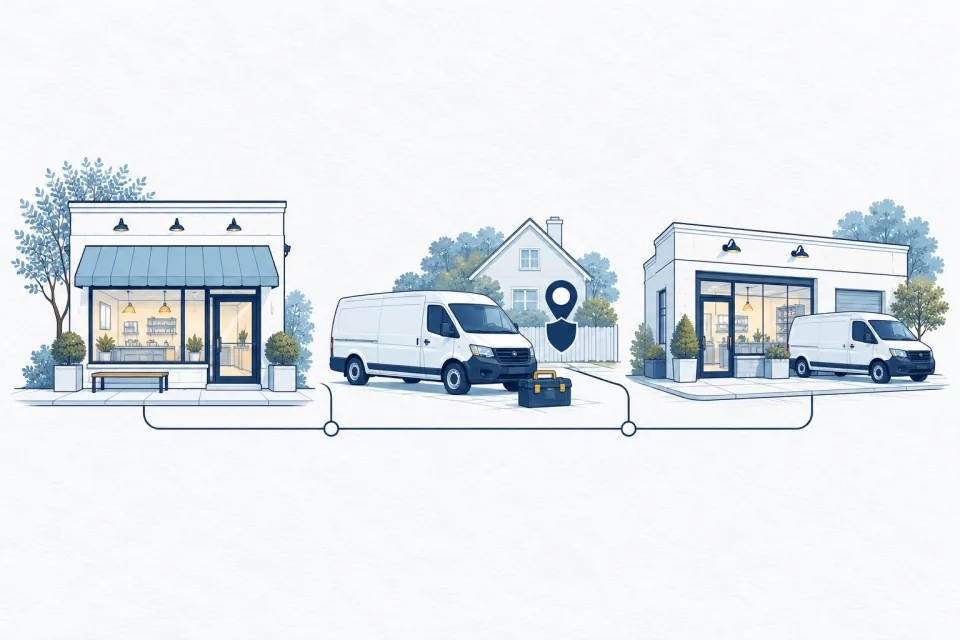
A business can own a van, maintain an office and sell products without necessarily operating a public storefront. The deciding question is how it serves customers. Do they come to the premises to receive a service or buy something? Does the business travel to them? Does it do both? Answer those questions before looking for a ranking advantage in a particular configuration.
Google distinguishes businesses that visit or deliver to customers without serving them at their address from hybrid businesses that also receive customers there. Its service-area guidance explains the distinction. The profile should reflect the current operation, not the business model the owner hopes to establish later.
Write one sentence describing the transaction: “Customers visit our showroom to choose products, and our team installs them at their property.” That sentence is more useful than debating whether the business sounds local enough.
Use a practical decision tree
First, ask whether customers are genuinely received at the business address. A real customer-facing operation may qualify to show its location, subject to Google's rules. Next, ask whether the business also travels to customers. If it does, a hybrid setup may describe it. If customers are not served at the base and work happens at their properties, review a service-area setup.
Record what a customer can do on arrival. A parcel drop-off point, a registered mailing address or a warehouse with no customer reception is not automatically a storefront. An address can be legitimate for company administration while remaining unsuitable as a public place for customers to visit.
For an uncertain operation, gather facts about signage, staffing, hours, customer reception and control of the space. Resolve the facts first. Copying a nearby competitor's configuration does not establish that the same setup is appropriate for another business.
Understand what showing an address represents
Google's representation guidelines rule out a virtual mailing office where the business does not operate. A coworking office must meet conditions including clear signage, receiving customers and staffing by the business during its stated hours. Businesses displaying an address should maintain permanent signage identifying the business.
Those conditions are operational commitments. If a map result invites someone to an office, the visitor should not find an unrelated receptionist, a locked room or instructions to telephone a mobile worker who is elsewhere. Consider the experience of someone who arrives without having read every sentence on the website.
A service-area business should hide its address from customers when it does not receive them there. Hiding the public address is a display decision; it does not turn an invented location into a valid base. Keep the underlying location information accurate.
Choose service areas the team can actually serve
Build the service-area list from recent operations and dispatch decisions. Which cities or postal areas can the team reach reliably? Where can it support follow-up work? Where does travel make a small job impractical? A truthful area list should help a customer understand availability, not act as a list of desirable search terms.
Google allows up to 20 service areas specified by places such as cities or postal codes, rather than a radius. Its guidance generally describes an overall boundary within about two hours' driving time of the base, with business-specific circumstances also addressed in its broader rules. Check the current service-area instructions when editing.
Distinguish advertised coverage from job acceptance. A contractor may serve a region while accepting only certain project sizes in its outer areas. Explain practical limits on the website and during intake rather than making every visitor discover them after a long enquiry.
Separate service coverage from ranking coverage
A service-area selection describes where work can be provided. It should not be read as a guarantee of equal visibility across every named town. Google's local ranking explanation includes relevance, distance and prominence. The searcher's location is part of the context. See Google's ranking guidance.
That distinction matters when reviewing a ranking map. A weak position far from the base does not, by itself, establish that the service-area settings are wrong. Check the query, the search location, the competing businesses and the actual customer demand. Changing the coverage list repeatedly can leave the business spending time on a field that does not answer the underlying question.
Use a consistent website explanation of the areas served and the services available there. A visitor should learn whether the business can handle the project, how enquiries are assessed and what happens next.
Treat another location as an operational question
Before adding a location, ask what has changed on the ground. Is there a separate operating base, a team there and a distinct area it serves? Google's representation guidance addresses service businesses with separate locations, service areas and staff. It does not make a mailbox in each target town equivalent to another staffed operation.
Keep location evidence organised: the actual premises, the team assigned there, how calls are handled and how customers interact with the location. A new profile should be supported by that operating reality. Do not begin by ordering signage for an address that remains only a forwarding service.
For a genuine expansion, create a location-specific plan for the profile, website, telephone routing, customer instructions and ongoing information maintenance. The owner should be able to explain why the new location exists even if search rankings were removed from the discussion.
Plan a change of model carefully
Businesses evolve. A mobile service may open a customer-facing shop; a showroom may close while installation work continues. Record the effective date and decide which parts of the customer journey must change together. A website inviting visitors to a closed showroom undermines an otherwise accurate profile.
Update address visibility, service areas, hours, appointment instructions and contact pages as appropriate. Keep old location photographs from misleading customers and check directory entries that still direct visitors to the former premises. Follow Google's available editing or location-management process rather than creating replacement profiles casually.
After edits are processed, test both Search and Maps from a customer's perspective. Check directions, visible address, service-area presentation and website links. Notify the people answering enquiries so they can explain the change consistently. The transition is complete when customers receive correct instructions, not merely when the editor accepts a save.
Keep a simple operating-model record
Document the chosen model, the facts supporting it, the public address decision, the service areas and who keeps the information current. Add the date of the next operational review. This gives a new employee or supplier something better than an unexplained inherited setting.
Useful questions for that review include whether customers still visit, whether the team remains available at the stated hours, whether the business has moved and whether the outer service areas are still practical. A truthful profile should change when those answers change.
Choose the setup that allows a stranger to understand how to deal with the business. A profile that accurately explains where customers are served creates a sound foundation for discovery, enquiries and the work itself. No profile configuration can compensate for an operating model that is unclear to its own team.
Put it into practice
- Describe how a customer receives the product or service.
- Confirm whether the address genuinely receives customers.
- Check signage, staffing and customer-facing hours.
- Hide the public address when customers are not served there.
- List practical service areas rather than aspirational coverage.
- Assess separate locations using real teams and operations.
- Recheck all customer instructions after a change.
Open this guide’s interactive checklist
Sources & editorial note
Sources reviewed by the editorial desk on 30 October 2026.
Found a factual issue? Prepare a correction note through our editorial draft form. It saves on your device; delivery is not yet configured.